Plaza Preset Pack
Plaza Preset Pack
Couldn't load pickup availability
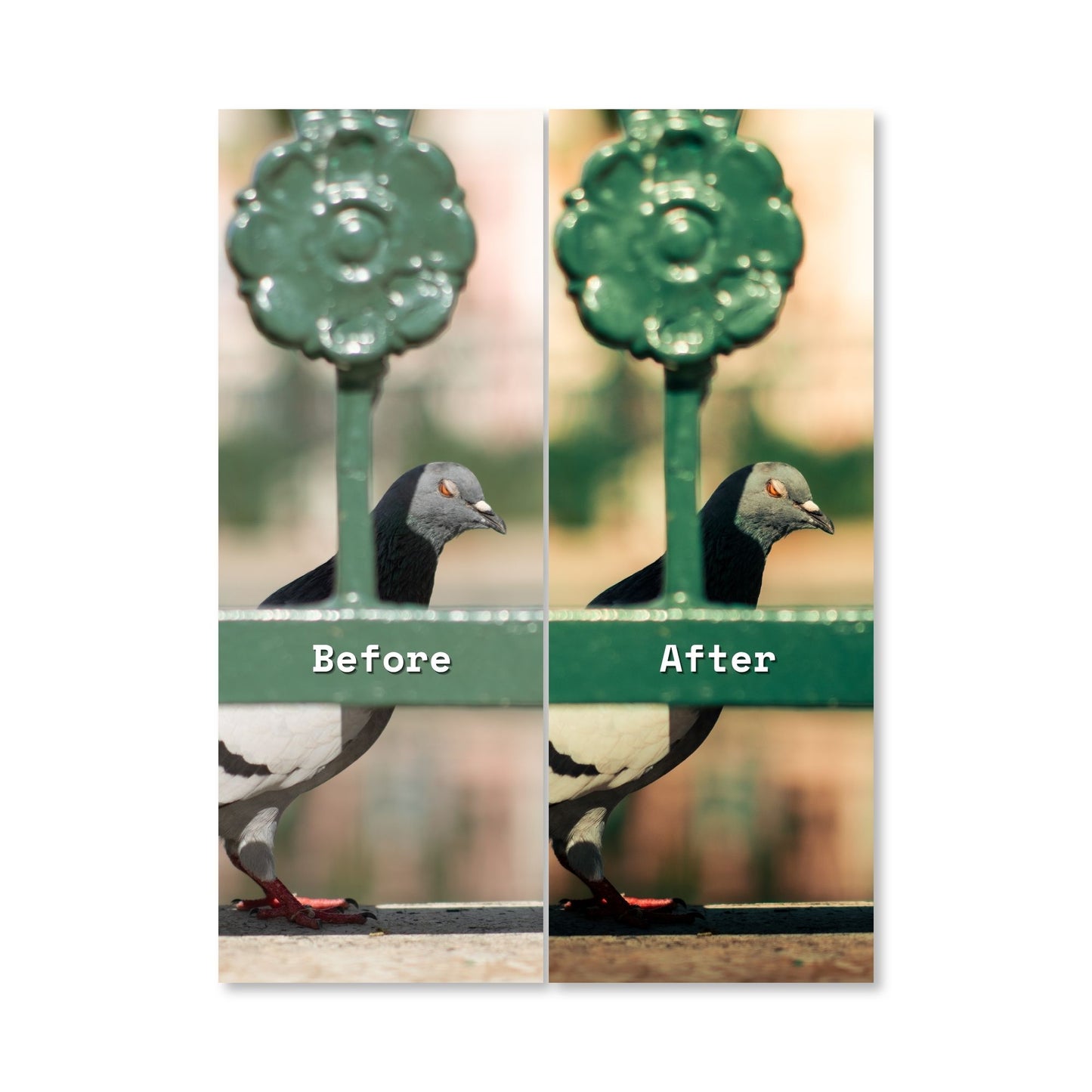
Give your photos a special look inspired by La Plaza de Caguas in Puerto Rico. These presets will help you get a nostalgic and vintage view to your photos.
Ideal for street photography, portraits and creative sessions. Just apply the preset and adjust as necessary.
Includes:
- Lightroom presets in digital format.
- Instant download after purchase.
- Step-by-step installation instructions.
- Compatible with Lightroom Classic and/or Lightroom Mobile, depending on your file version.
Important:
Results may vary depending on lighting, color, and the camera used. Some settings may require minor adjustments to achieve the best results.
What’s included in this pack?
- A set of professional Lightroom presets in XMP format for Lightroom Classic.
- Installation instructions for both Lightroom Classic and Lightroom Mobile.
- Immediate digital download after purchase.
Which Lightroom versions are compatible?
- Lightroom Classic: fully compatible with XMP presets.
- Lightroom Mobile: supports XMP presets if your version allows it; some versions may work best with DNG-based presets included in the same pack.
How do I install these presets on Lightroom Classic?
- Download the preset file and unzip it if needed.
- Open Lightroom Classic.
- Go to Edit > Preferences (Windows) or Lightroom Classic > Preferences (Mac).
- Open the Presets tab.
- Click Show Lightroom Develop Presets.
- Copy your .XMP preset folder into the Settings folder.
- Restart Lightroom Classic.
- Your presets will appear in the Presets panel in the Develop module.
How do I install these presets on Lightroom Mobile?
- Download and unzip the file on your phone.
- Open Lightroom Mobile.
- If the pack includes XMP files and your version supports import: use the Import presets option in the Presets menu.
- If the pack includes DNG samples instead:
- Import the DNG file into Lightroom Mobile.
- Open the photo, go to Presets, then Create Preset from the edits.
- Save the preset and apply it to your own photos.
How do I download my presets after buying?
- After your purchase is complete, you’ll receive a download link by email.
- You can also access your download from your Shopify account under Orders.
- The preset files are delivered as a ZIP folder for easy download and use.
Can I use these presets on multiple devices?
- Yes. Once you’ve downloaded the pack, you can install the presets on any device where you use Lightroom Classic or Lightroom Mobile with your Adobe account.
Are these presets free to use in my photography projects?
- Yes. You can use these presets for your personal or professional photography projects, including photos for social media, websites, portfolios, and client work.
- You cannot resell or redistribute the preset files as your own product.
What if the presets don’t show up in Lightroom?
- Make sure you:
- Unzipped the file before importing
- Restarted Lightroom Classic after installing the XMP files
- Used the correct version of Lightroom (Classic for XMP; Mobile for XMP or DNG as described above).
- If you still have issues, contact us and we’ll help you set them up.
Do these presets work with all types of photos?
- These presets are designed for a wide range of photos, including:
- Portraits
- Lifestyle and social media content
- Travel and landscape photography
- Everyday photos taken with smartphones or cameras
Share